
Microsoft Azure Migration Checklist: 10-Step Guide
9/18/2026

Here's the uncomfortable truth about most failed Azure migrations: they didn't fail on cutover day. They failed weeks earlier, in an assumption nobody stopped to test, an unmapped dependency, a workload sized for the wrong load pattern, a rollback plan that only ever existed in someone's head.
If you're planning a move to Azure, the good news is that almost all of this is preventable. A structured Microsoft Azure migration checklist forces the dependencies, the resourcing math, and the risk into the open before they reach production, not after. That's the whole idea behind the ten controls below: inventory, cost forecasting, architectural design, data governance, pilot testing, phased cutovers, monitoring, and rollback preparation. Together, they're the checkpoints that keep an Azure migration on budget and online. A Treat each step as a gate to the next, not a box to check in parallel with everything else. Skip straight to cutover without inventory, without a pilot, without a tested rollback path, and you're no longer managing a migration; you're managing whatever incident comes next.
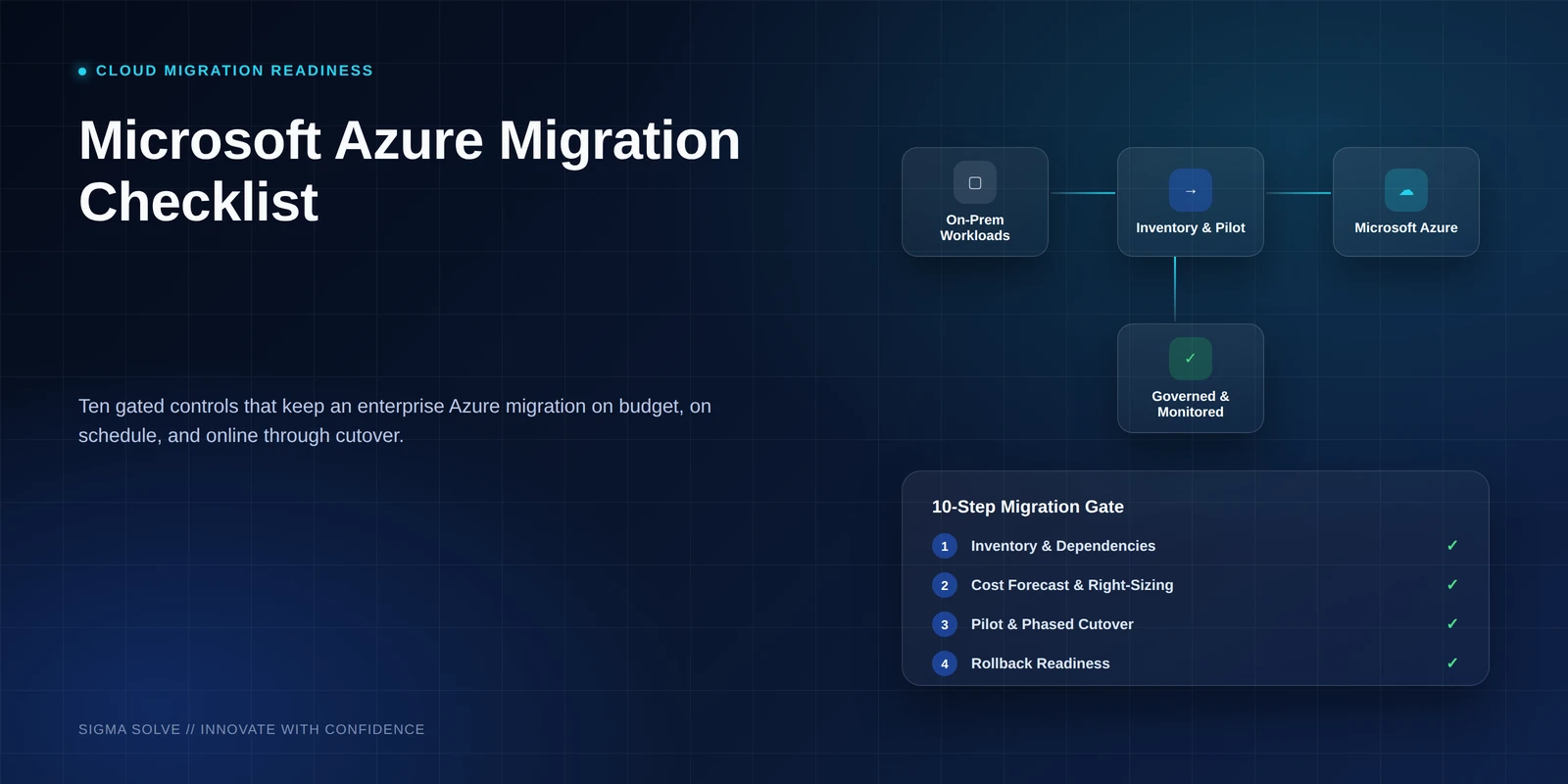
Inventory Workloads and Dependencies with Azure Migrate
Start here, even if it feels like the slow part. Every application, database, and integration slated for migration needs to be catalogued, along with everything it connects to. Migrations rarely fail because of the systems teams planned for; they fail because of the dependency nobody mapped: a batch job reading from a database everyone forgot was still live, an internal API three other systems quietly rely on.
Undocumented legacy dependencies are a recurring cause of unplanned downtime and technical debt during cloud transitions. Azure Migrate's discovery and assessment tooling can surface much of this automatically, but it should be cross-checked against team interviews; automated discovery misses dependencies that only appear under specific conditions, like month-end batch jobs.
Do this:
- Inventory every workload with its owner and business criticality tier
- Run Azure Migrate's dependency mapping, then validate results against team knowledge
- Flag systems where no one on the current team fully understands the legacy setup; these carry outsized risk
Set Migration Goals and Success Metrics
A migration without defined success criteria expands in scope and cost as it goes, because there's no benchmark to push back against. Before architecture work starts, agree on numeric targets: latency thresholds, uptime SLAs, a hard cost ceiling, and the business outcomes the migration is meant to serve.
These targets become the reference point for every later step: the cost forecast in Step 3, the monitoring thresholds in Step 9, and the rollback triggers in Step 10 are only meaningful when measured against goals set here.
Do this:
- Set numeric targets for cost, performance, and availability, not directional goals like "improve performance"
- Get explicit sign-off from technical and business stakeholders before architecture decisions begin
- Document targets somewhere the full team references throughout the migration, not just in a kickoff deck
Forecast Costs and Right-Size with Azure Cost Management
Suboptimal workload sizing and weak oversight of consumption patterns are the leading drivers of post-migration budget overruns. Over-provisioning "to be safe" feels conservative during planning and shows up as wasted spend every month afterward.
Azure Cost Management gives visibility into forecasted spend, while Azure Advisor's right-sizing recommendations flag over-provisioned resources against actual usage. Reservations and savings plans, applied against real consumption data rather than assumed at design time, are what keep spend predictable. If the forecast doesn't fit inside the ceiling set in Step 2, that's a signal to revisit architecture before committing to instance sizes.
Do this:
- Model expected consumption using historical usage data before sizing instances
- Use Azure Advisor to right-size, and reserved instances or savings plans for steady-state workloads
- Set budget alerts in Azure Cost Management tied to the forecast, not just a fixed spend cap
Architect for Cloud-Native Azure Services, Not Lift-and-Shift
Replicating an on-premises architecture inside Azure carries its inefficiencies along with it: fixed capacity, manual scaling, monolithic dependencies. A cloud-native approach, built around managed services and autoscaling, is what delivers the performance and cost gains organizations expect. Defaulting to lift-and-shift instead is a common cause of both degraded performance and wasted spend.
Not every workload needs a rebuild. Each one should be evaluated against a specific question: does Azure SQL Database, Azure Kubernetes Service, or another managed offering do this better than replicating the current setup? Where the answer is yes, that's the default; where it's no, document why.
Do this:
- Evaluate managed alternatives, Azure SQL Database, AKS, Azure Functions, before rebuilding components as-is
- Design autoscaling rules against real demand patterns, not peak-load provisioning
- Check architecture decisions against the cost model from Step 3 before finalizing
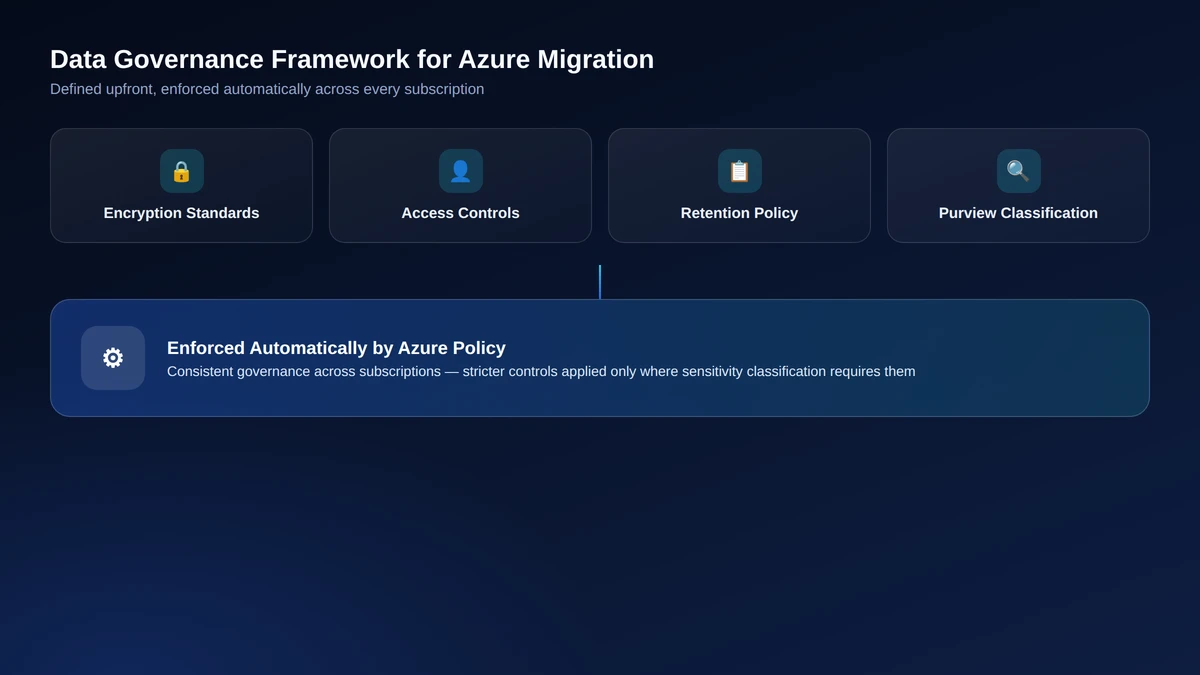
Build a Data Governance Framework with Azure Policy
Weak data governance during migration fragments operational oversight and raises the risk of data loss, and it's far harder to retrofit once data is already moving than to define upfront. Encryption standards, access controls, and retention policy need to be settled before the first dataset migrates.
Azure Policy can enforce these standards automatically across subscriptions, while Microsoft Purview handles data classification and lineage tracking. Classifying data by sensitivity level first means only the data that needs stricter controls gets them, rather than applying uniform (and costly) governance to everything.
Do this:
- Define encryption, access control, and retention policy before migration begins
- Use Azure Policy to enforce governance standards consistently across subscriptions
- Map industry- and region-specific compliance requirements to Purview's classification tooling early
Bridge Integrations with Azure API Management
Integration complexity is a common source of data silos, and it tends to surface only after systems have moved, when a connection that worked on premises degrades in the new environment. Middleware and well-defined APIs are what keep data flowing between migrated and still-on-premises systems without silent breakage.
The dependency map from Step 1 is the starting point: every integration point identified there needs a strategy, standardized through Azure API Management rather than solved with one-off connectors that become their own maintenance burden.
Do this:
- Work from the Step 1 dependency map to identify every integration point requiring a migration strategy
- Standardize cross-system communication through Azure API Management instead of ad hoc connectors
- Test each integration point in isolation before it's part of a live cutover
Pilot the Migration on a Representative Workload
This is the step teams are most tempted to rush past, and the one that saves the most headaches when they don't. A low-risk but genuinely representative workload, migrated first, surfaces configuration issues, cost surprises, and performance gaps while the blast radius is still small. Skip the pilot, and you'll find those same wrong assumptions in production instead of in a controlled test.
The workload chosen matters more than running a pilot at all. The easiest, lowest-complexity workload validates almost nothing; one that reflects typical dependencies, data volume, and traffic patterns is what makes the findings worth acting on.
Do this:
- Choose a workload representative of the broader environment, not the path of least resistance
- Validate performance, cost, and security assumptions against production-like data and traffic
- Feed findings back into the cost model (Step 3) and architecture decisions (Step 4) before scaling up
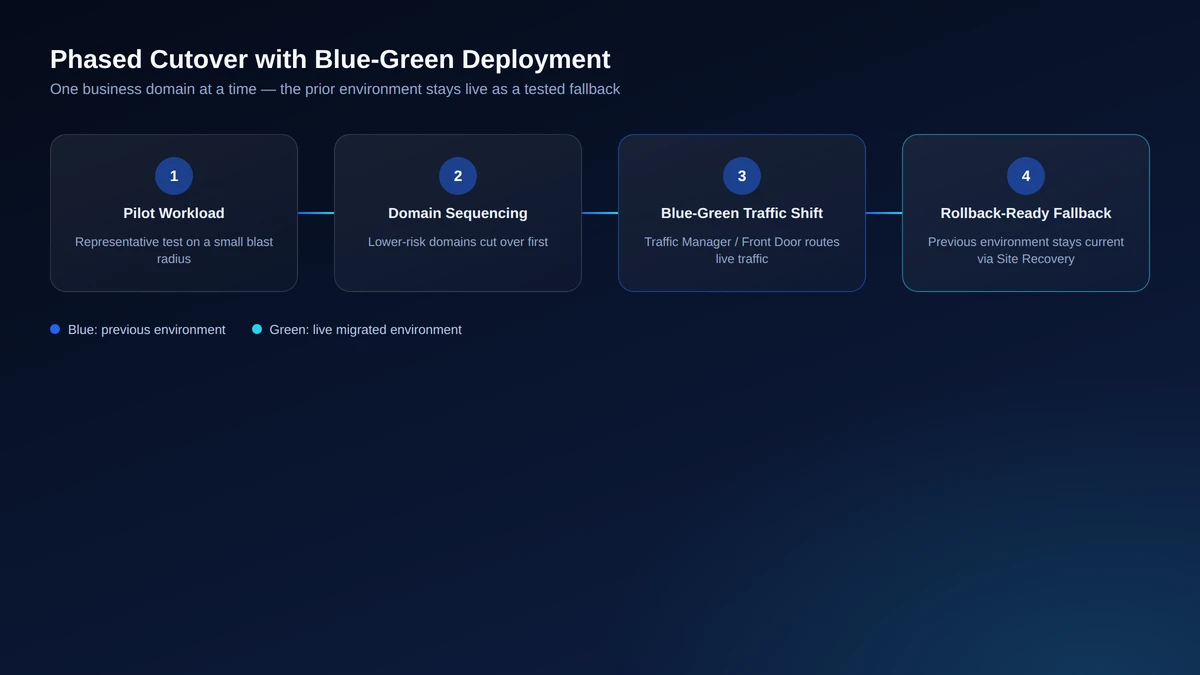
Phase Cutovers by Business Domain with Blue-Green Deployment
Migrating everything at once maximizes the odds that one failure cascades into many. Phasing cutovers by business domain isolates dependencies to one area at a time, significantly reducing the risk of cascading failures across the enterprise.
Within each phase, blue-green deployment, routed through Azure Traffic Manager or Front Door, keeps the previous environment live as a fallback while traffic shifts, paired with real-time data replication to avoid consistency gaps during the transition.
Do this:
- Sequence cutovers by business domain, starting with lower-risk domains to validate the process
- Use blue-green deployment via Traffic Manager or Front Door to keep the prior environment live during cutover
- Replicate data in real time throughout each transition window
Track Performance and Cost with Azure Monitor
Once workloads are live, visibility into performance and spend needs to be continuous, not periodic. A misconfigured auto-scale rule or a creeping latency regression is manageable if caught within hours, and expensive if it's only caught at the next scheduled review.
Azure Monitor and Application Insights should be configured against the specific targets set in Step 2, not generic thresholds. Monitoring built without that reference point tends to generate noise instead of actionable signal.
Do this:
- Configure Azure Monitor and Application Insights across every migrated workload
- Set alert thresholds tied directly to the metrics defined in Step 2
- Compare live data against the pilot baseline from Step 7 to catch drift early
Prepare Rollback Plans with Azure Site Recovery
Every migration phase needs a tested way back to the previous state before it goes live, not one improvised mid-incident. Rollback readiness is the difference between a failed cutover becoming a short, contained delay and it is becoming extended downtime.
Azure Site Recovery can automate failback to the pre-migration environment, but only if that environment is kept current, which depends directly on the blue-green setup from Step 8 staying live long enough to serve as a real fallback, not a theoretical one.
Do this:
- Document a rollback procedure for every phase before that phase's cutover
- Test the rollback path itself using Azure Site Recovery, not only the forward migration
- Keep the previous environment live and current post-cutover, per Step 8, long enough to make rollback usable
Conclusion
This Azure migration checklist works as a sequence, not ten independent tasks. Inventory feeds cost forecasting; the pilot validates architecture before it's locked in; rollback only works if the blue-green environment from Step 8 is still standing. Run in that order, these ten checkpoints catch wrong assumptions while they're still cheap to fix, before they surface as a cost overrun or a production outage.
Working through ten checkpoints on top of a day job isn't trivial, and most internal teams are running their first Azure migration while Sigma Solve's cloud team has run this playbook many times over. If you'd rather have an experienced team handle the inventory, cost modeling, and phased cutover for you, talk to Sigma Solve's Azure migration specialists for a free workload assessment and find out where your migration stands before you commit to a timeline.